Property records
Keep service addresses linked to the customer record so repeat visits, documents and plumbing notes are easier to find later.

The landlord and agent workflow is designed for practical plumbing maintenance rather than generic form filling. You can send a plumbing request, add the service address, provide billing details, ask Pompey Plumb to contact the tenant, or invite the tenant to choose suitable arrival windows.
This is useful for leaking toilets, failed float valves, stop tap problems, water pressure issues, leaking cylinders, blocked toilets, tenant-reported leaks and general small plumbing jobs in managed properties.
Keep service addresses linked to the customer record so repeat visits, documents and plumbing notes are easier to find later.
If the tenant needs to choose arrival windows or send photos, the system can collect those details without handing over private admin access.
Invoices, estimates, reports, advice sheets and job photos can be linked to the job so records are easier to follow.
The portal is designed to make rental plumbing work easier to follow: properties, tenant reports, approval decisions, appointment records, photos and invoices stay linked to the right address.
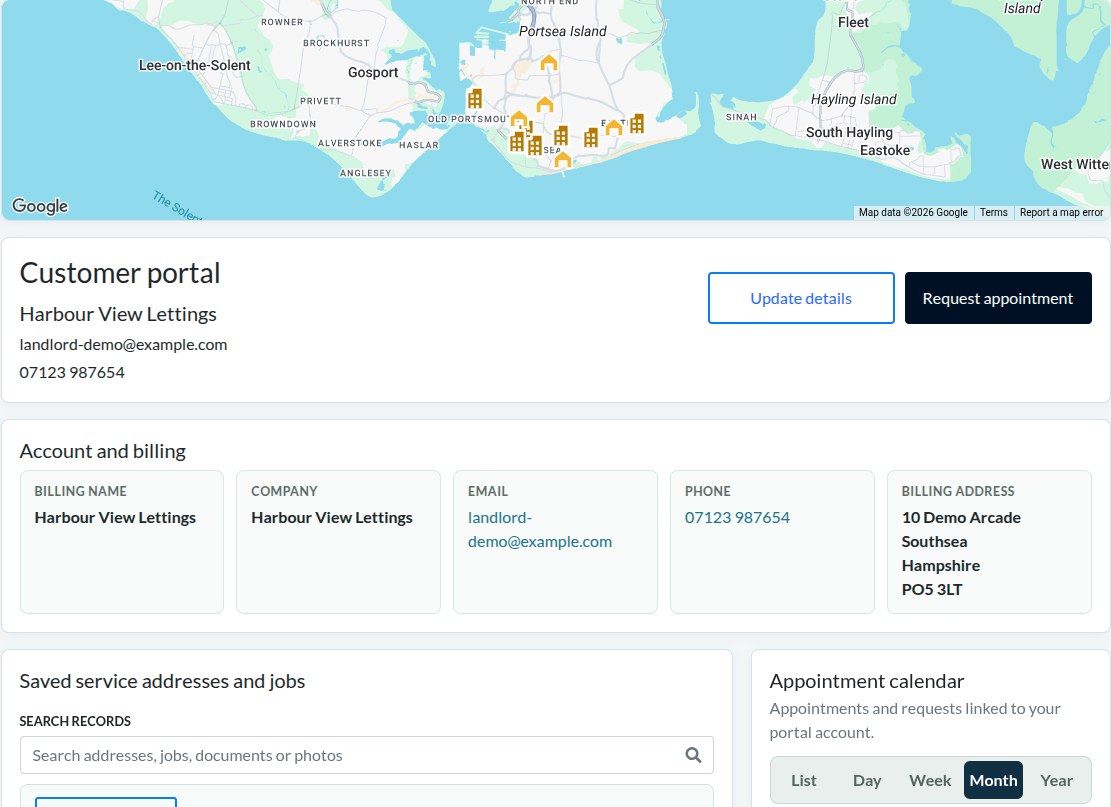
The portal gives landlords and agents a practical place to keep plumbing records together, especially when the bill payer, tenant and service address are different.
Service addresses can be saved under one landlord or agent record, with the map giving a quick visual check of the properties on the account.
Tenants can send descriptions, photos, videos and access details before an appointment is approved.
Invoices, reports, advice sheets and job media can stay connected to the property record instead of being buried in email threads.
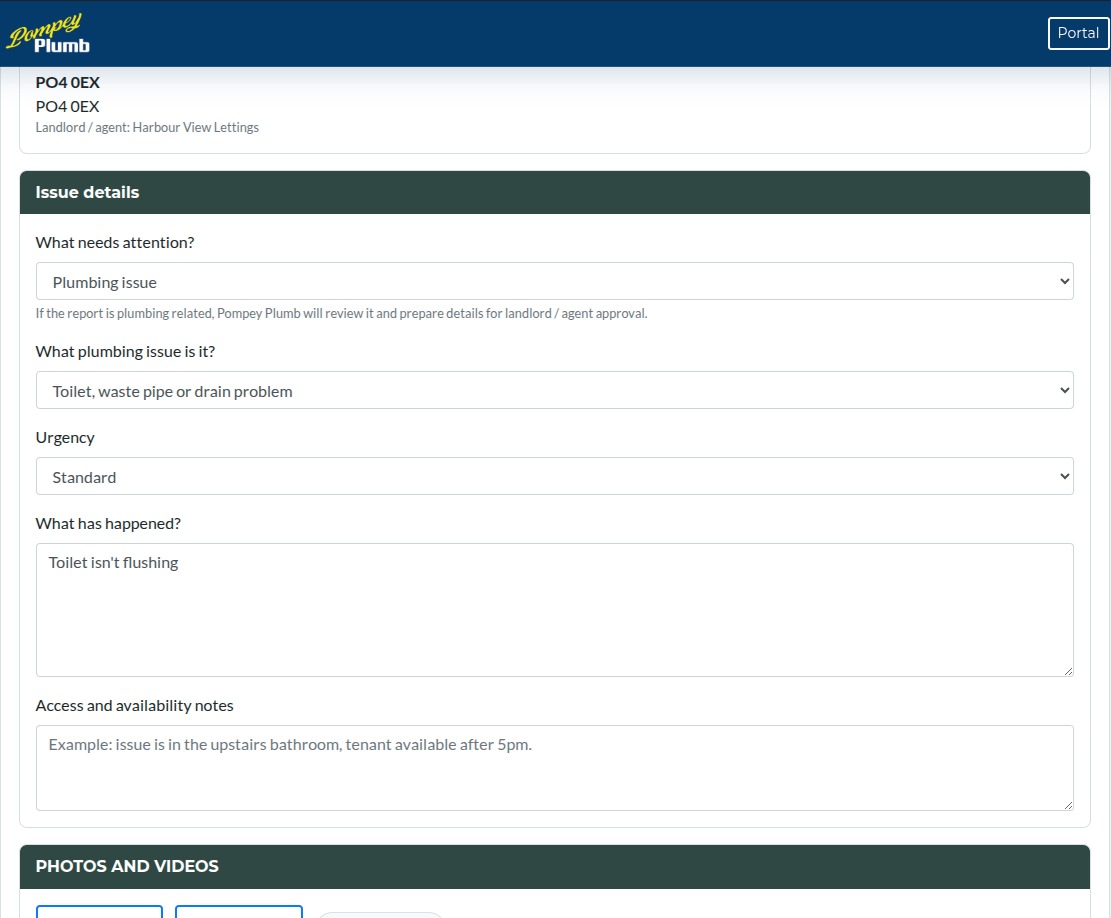
Tenant access is focused on reporting an issue clearly. They can explain what has happened, choose the type of issue and add photos or videos where they help.
If it is a plumbing issue, Pompey Plumb can review the information and prepare the next step for landlord or agent approval.
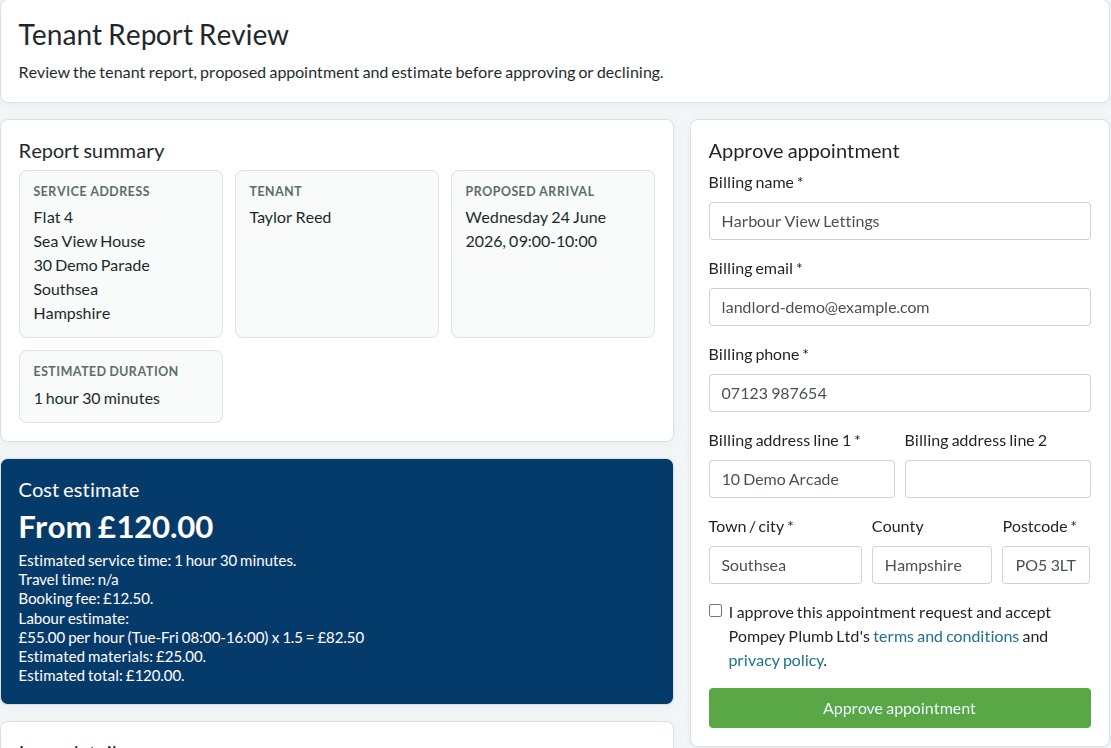
The review page brings the tenant report, public assessment notes, suggested appointment details and estimated cost into one place.
The appointment is not confirmed until the landlord or agent approves it, so there is a clear decision point before work is booked.
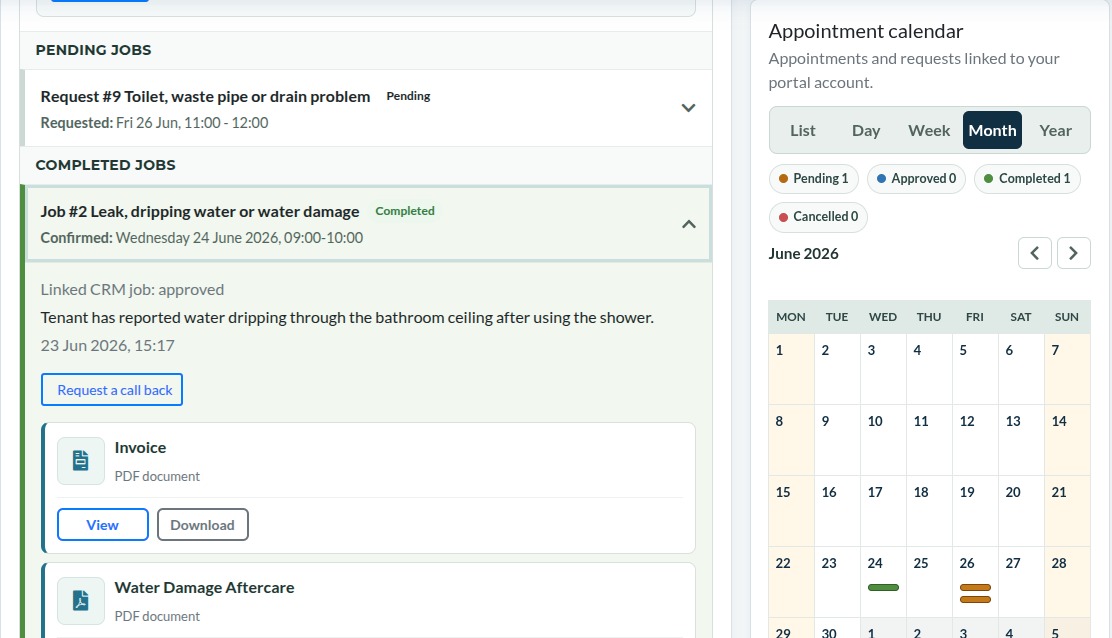
After a visit, the job record can hold the invoice, reports, advice documents and photos in the same place as the appointment history.
For repeat visits, this makes it easier to understand what has already been done and what information has already been collected.
The request captures the property, issue type, description and supporting photos.
The information can be checked before the appointment is confirmed.
Approval can include the billing details, appointment time and estimated cost.
Invoices, reports, advice sheets and images can be kept with the job record.
The portal is intended to reduce back-and-forth messages when arranging plumbing visits.
The landlord or agent can enter the property details, choose whether the tenant should be contacted, and approve appointment information before it is confirmed.
Tenant plumbing reports can be reviewed before a landlord or agent approves a visit. This keeps the landlord informed without losing the tenant’s photos and description.
Yes, where appropriate. A tenant can be sent a link to choose arrival options or provide job details, while the landlord or agent stays linked to the request.
Where a tenant reports an issue, the appointment is not confirmed until the landlord or agent has reviewed the report and approved the next step.
Yes. The system separates the bill payer details from the service address, which is useful for managed properties, letting agents and landlords with several addresses.
No. Tenant access is limited to reporting issues, adding useful information and viewing tenant-relevant appointment updates. Billing information remains separate.
Yes. Tenants, landlords and agents can provide photos or videos where needed, helping show leaks, damaged fittings, access issues or the area affected before attendance.
No. Urgent leaks should still be handled directly. The portal supports the record keeping and appointment information around the job.
Yes. Job documents, invoices, reports, advice sheets and photos can be linked to the relevant customer, property and appointment record.
Yes. Saved service addresses help keep repeat visits organised so job history, appointment notes and documents do not get mixed between properties.